Generate Logon Date Range Report
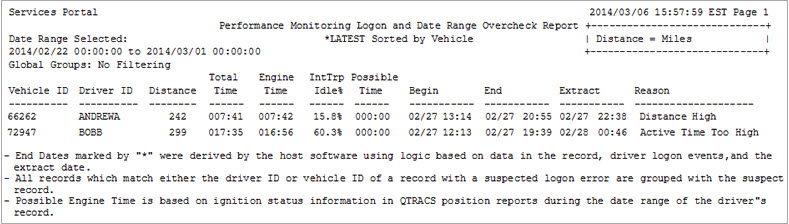
The Logon Date Range report identifies driver IDs with record date ranges that indicate logon errors. The report is based on the following checks that Performance Monitoring performs for each automatic extraction:
- Drivers' miles-per-day too high or too low
- Conflicting date ranges for drivers
- Significant records without a registered Performance Monitoring password
Here are some tips for generating the Logon Date Range report:
- Before generating this report, be sure to manually submit overcheck jobs for any manual extractions
- Generate this report automatically, using the most current extraction
- On the report section and reporting page, be sure to adjust the default values for tolerance thresholds as needed for your company's reporting requirements
- Use this report to review and complete edits of driver IDs before generating any driver performance reports
The information below your name on the right tells you which assets you are working with based on global group membership. Click the linked text to change your global group filter. Only select, authorized assets are included when you generate a report.
For help running reports, see the reports overview. A sample report is shown below.
©2018 Omnitracs, LLC